Create or sign in to your account
Create an account to keep your purchase and progress on every device you use
Written By Andrew
Last updated 2 months ago
Open the app, go to Settings, and tap Account. Enter your email and password and press Continue, or choose one of the third-party sign-in options.
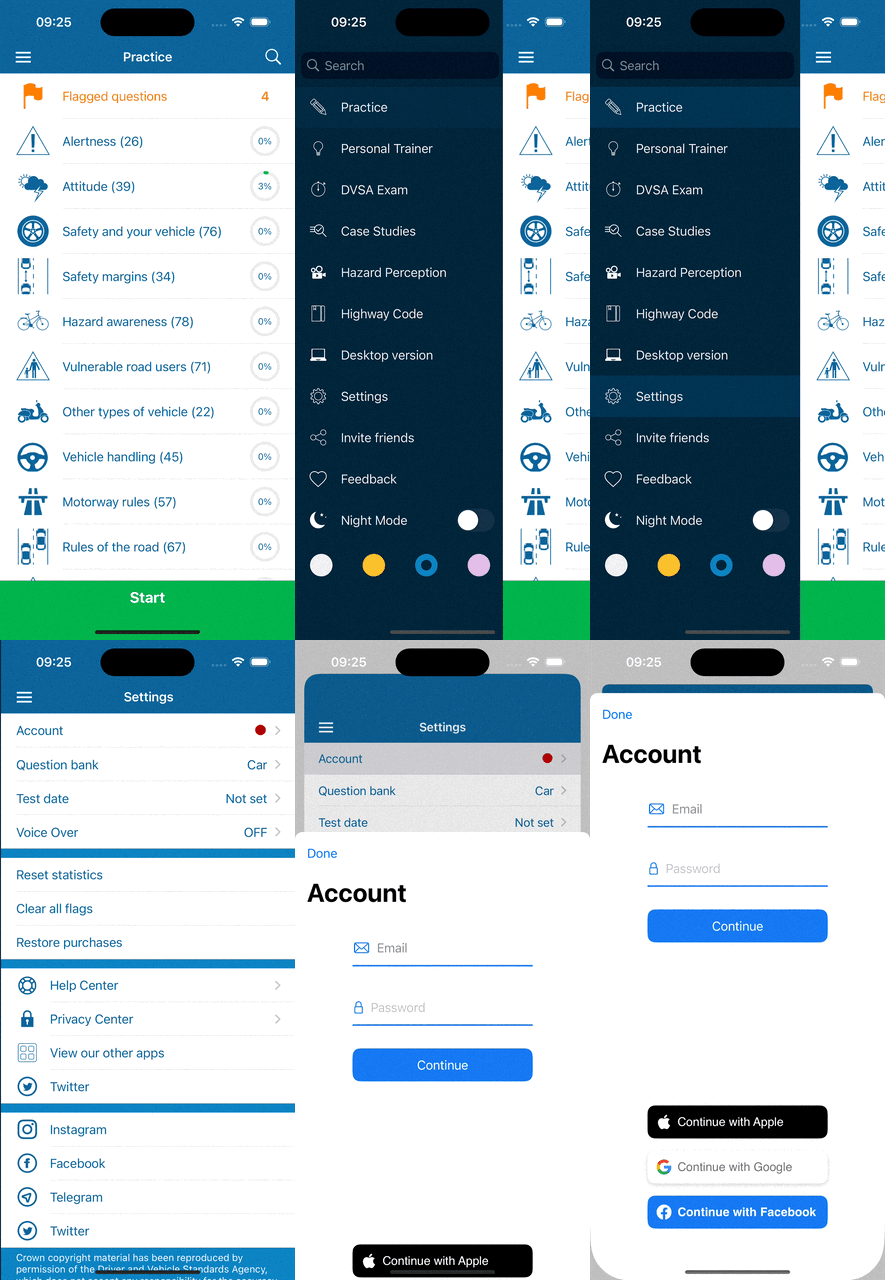
Then sign in with the same account on your other devices. See Practise on more than one device.
Was this helpful?
Still need help? Ask the team